

How It Works
The system works by automatically generating correct SQL queries from natural language prompts and returning the answer in natural language or as a trend or in another requested form.
Interpret the request
The AI identifies the plant area, devices, time period and type of result being requested.
Find the context
Relevant tags, saved facts and reference documents are included where they apply.
Run the query
Plant Advisor builds and runs read-only SQL queries against the connected database.
Return the result
The result is returned as a plain-English answer, table, trend or report.
Role-Based System
Access is organised according to role. Many features are available for standard Operators, while administrative and configuration capabilities are available for Managers.
Core Features
A closer look at what Plant Advisor does. The chip on each feature shows the role it belongs to.
Chat Assistant
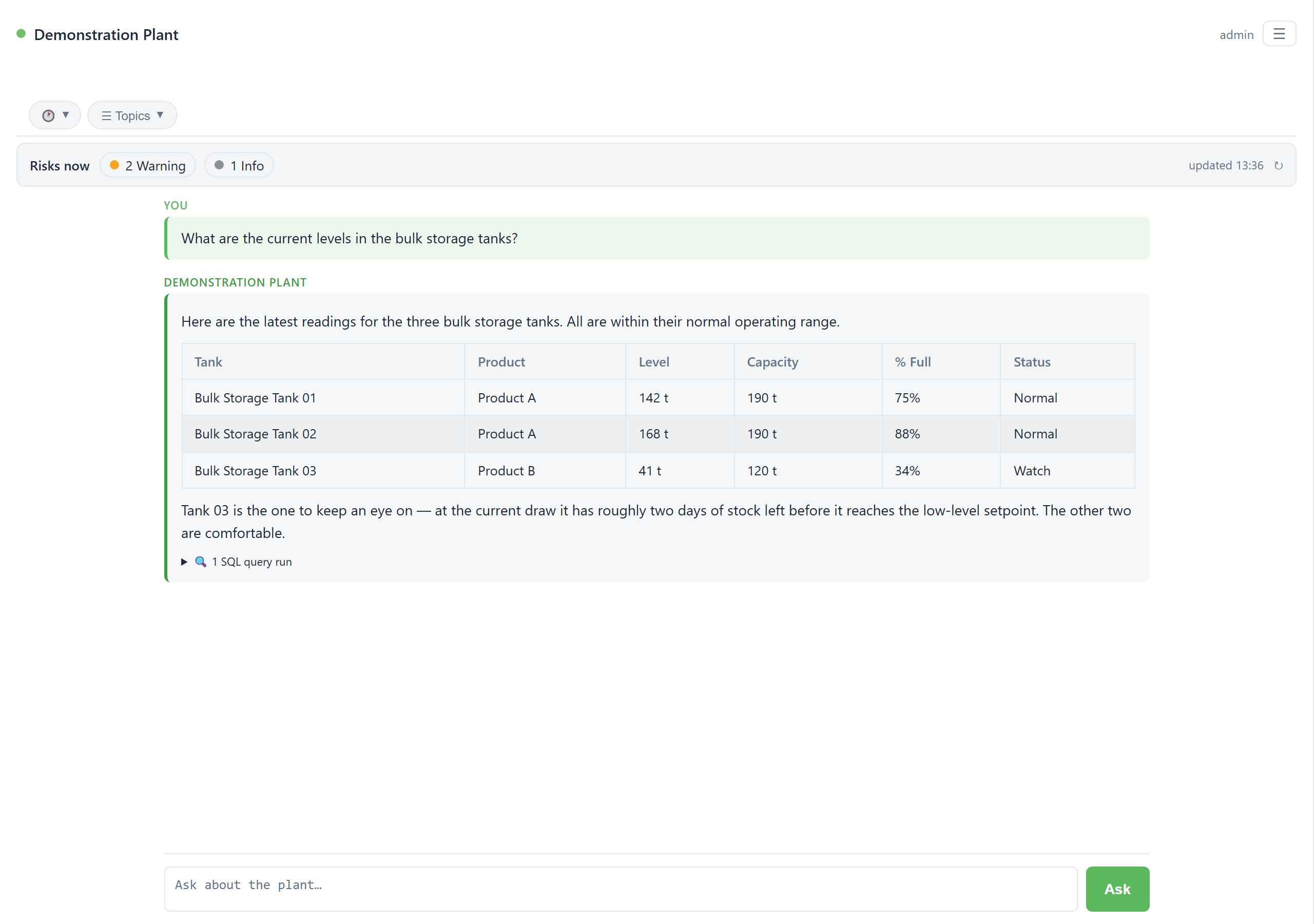
OperatorEnter your question and Plant Advisor turns it into read-only queries. These queries are run against the most recent plant data, and produce answers in a clear and succinct way. A more detailed view of the query made is also displayed under the produced result, allowing you to confirm exactly what was pulled.
Topics
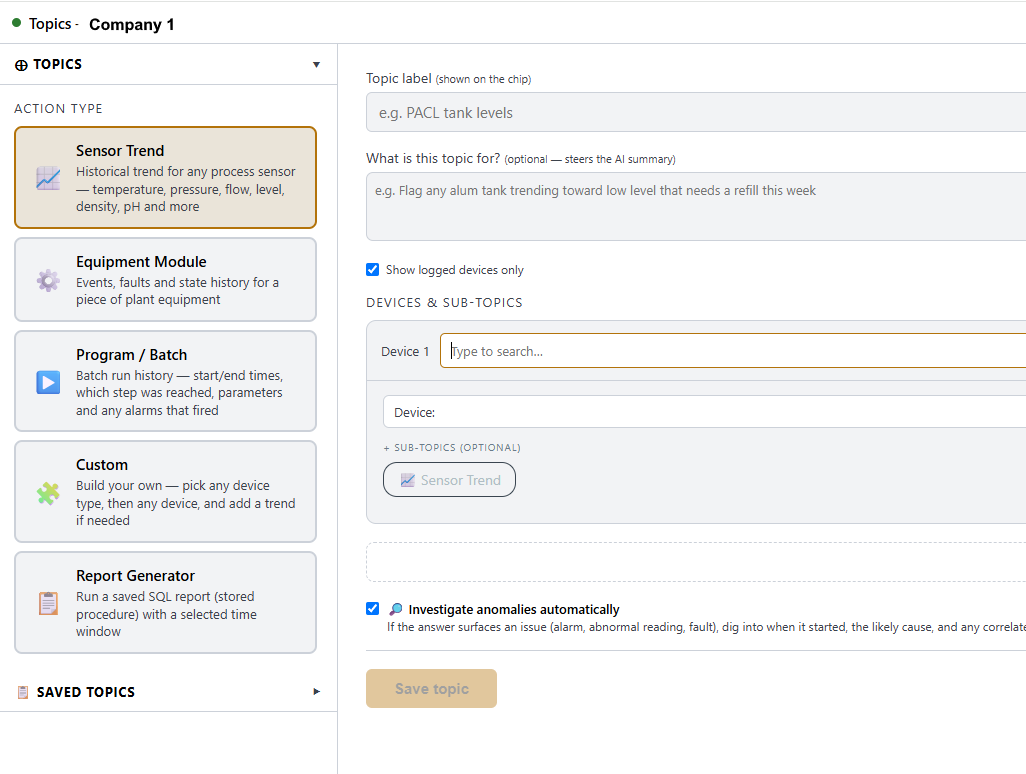
ManagerWhen you need to regularly run particular reports or data queries, you would use the Topics feature. Ask Plant Advisor directly through chat to save your report or data query as a Topic, or build one directly through the Topics configuration page. These are designed to be give consistent formats for results while using the latest plant data.
Quick Commands
OperatorType a forward slash (“/”) in the chat to view a list of commands useful for quick operations.
Reference documents
ManagerAttach a P&ID or other document in chat, and Plant Advisor stores it for future conversations, not just the one you attached it in.
Knowledge facts
OperatorTell Plant Advisor something the database does not hold and it remembers. Every fact records who saved it and when, and is cited whenever it is used, so anything it relies on traces back to a person and a date.
Preventative maintenance
ManagerRunning hours or start counts can be compared to a service interval for a piece of equipment. Tell Plant Advisor the equipment has been serviced and the count resets.
Event triggers
ManagerWatch for an alarm or a Golden Batch breach and run an action automatically: run the advisor, run a Topic, or take a query snapshot. Off until an admin enables them.
Risks Now
ManagerOne prioritised list pulling together engine recommendations, sensor excursions, and Golden Batch deviations, ranked Critical, Warning or Information. Ask “what needs attention?” at any time.
Golden Batch
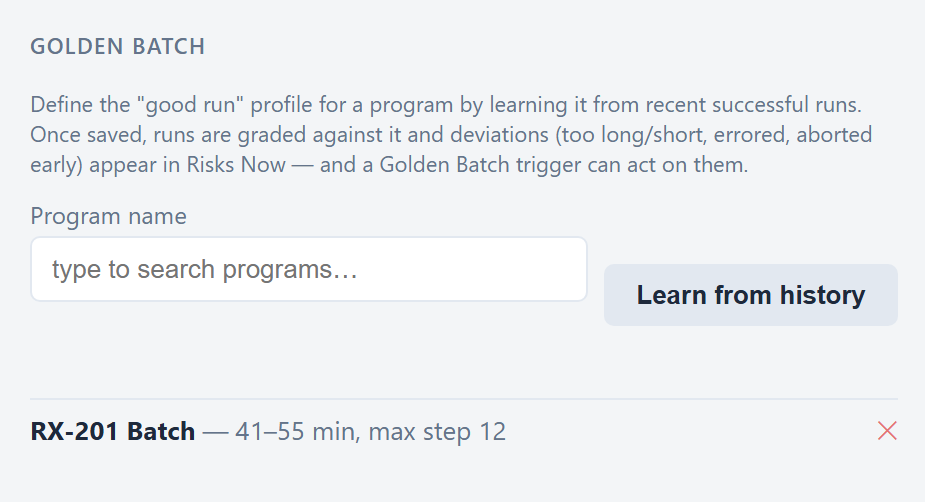
Particular program runs can be declared as good target operation profiles, and the system can then automatically compare future program runs against this profile, to identify any deviations and causes of issues.
Learn a profile
Ask Plant Advisor to learn a Golden Batch for a program. It reviews recent successful runs and proposes an expected duration range and the highest step reached. Review the numbers, adjust anything you want, and save it as the standard.
- Once saved, every finished run is graded against it automatically.
- Deviations appear in the Risks Now feed, ranked by importance.
- A trigger can act on a breach automatically.
Built around a fixed benchmark
The profile and the grading are fixed, so every run is judged against the same standard. You get a repeatable, objective read on how a process actually performed.