
How Plant Advisor works.
Everyone at the plant shares one assistant. What each person can do is set by their role, so operators get a simple, safe view while managers and admins have more configuration ability.
Ask your plant
Plant Advisor connects to the SCADA database you already run and lets your team ask questions and get specific, data-driven answers in seconds, instead of writing SQL or digging through historian screens.
- Answers questions about live plant data: temperatures, levels, flow rates, alarms, equipment status.
- Runs live, read-only queries against your database for you. Nobody needs to write SQL.
- Saves the reports you repeat as Topics, re-run with one click.
- Remembers site-specific facts and reference documents for future conversations.
- Tracks maintenance intervals and warns when equipment is overdue for service.
- Watches for alarm conditions and can run a report automatically when they occur.
Role-Based System
The Role system is designed to keep sensitive configuration capabilities locked behind administrative credentials while still allowing everyday operators to perform tasks.
The chat interface. Ask questions, read answers, and get shift-handover summaries.
- Ask any question in natural language
- Read answers drawn from live data
- Save personal knowledge facts
Everything an operator can do, plus the tools that shape what the whole site sees.
- Build, edit and delete Topics
- Attach and save reference documents
- Save site-wide knowledge facts
- Set up Golden Batch, triggers and maintenance
- Star and delete conversations
Everything a manager can do, plus setup and control of the whole system.
- Settings: database, AI key, licence
- Add users and assign their roles
- Switch the active plant
- View the audit log
Role-based Permissions
Access is enforced by role. The table below highlights what each of the three roles is capable of doing.
| Capability | Operator | Manager | Admin |
|---|---|---|---|
| Chat: ask questions | |||
| Attach documents to chat | |||
| Star or delete conversations | |||
| View the Topics page | |||
| Build, edit or delete Topics | |||
| Save a personal knowledge fact | |||
| Save a site-wide knowledge fact | |||
| Set up Golden Batch, triggers, maintenance | |||
| Settings: database, AI, licence, users | |||
| Switch the active plant |
Roles are assigned by an admin when your account is created.
Core Features
A closer look at what Plant Advisor does. The chip on each feature shows the role it belongs to.
Asking questions
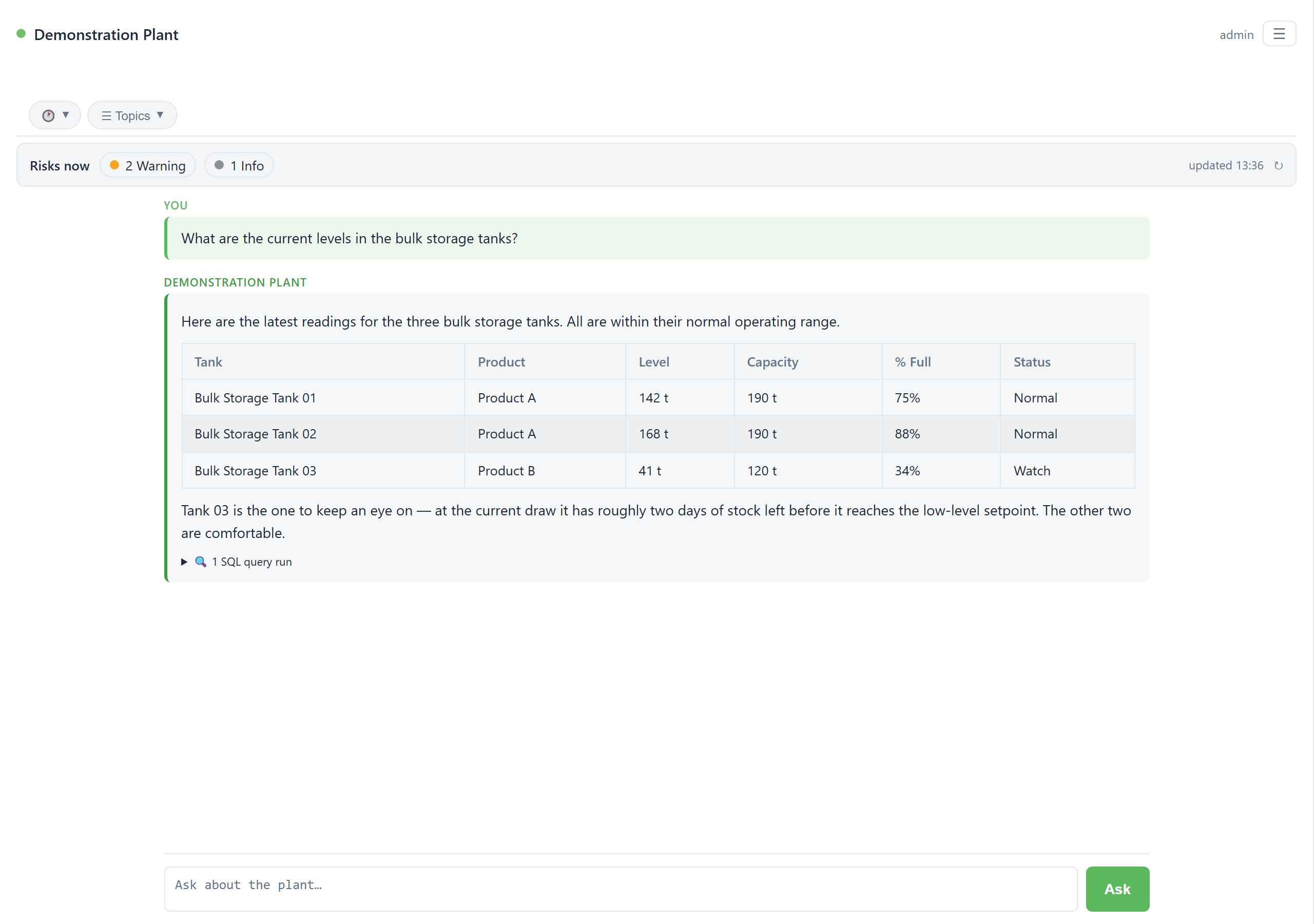
OperatorType a question in the box and press Enter. Plant Advisor turns it into read-only queries, runs them against your live database, and answers in plain terms. It does not answer from memory, so every figure comes from the data as it stands right now. Open the query details under any answer to see exactly what it pulled.
- Every answer lists the queries it used, so any figure traces back to source.
- Older periods are found and read from the archive automatically.
- Ask for a single value, a trend, a shift summary, or what needs attention right now.
Topics
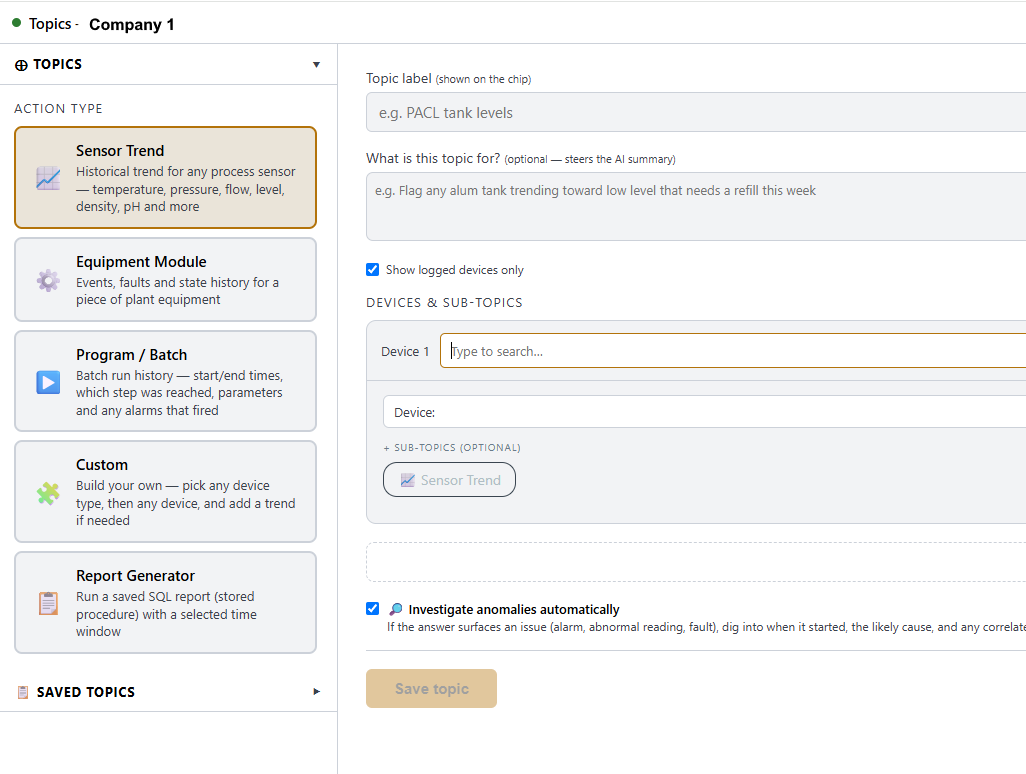
ManagerWhen you ask the same thing every shift, save it once as a Topic and run it with one click. Ask in chat and let Plant Advisor draft the Topic from your devices and tags, or build it by hand on the Topics page. The report is deterministic: the numbers are pulled fresh on every run and laid out the same way, so you can set one run beside another with confidence. An optional short summary can sit on top of the figures, and it never changes them.
- Public Topics are shared with the site; private ones stay with you.
- Run a saved Topic over a one-off time window without changing the saved version.
Reference documents
ManagerAttach a P&ID, wiring diagram or equipment manual in chat and save it to a permanent, per-site library. Plant Advisor consults it in later conversations, not only the turn you attached it, so answers can draw on how your plant is actually built and wired. The list shows who added each document and when, and replacing one by name leaves every other document untouched.

Knowledge facts
ManagerTell Plant Advisor something the database does not hold, like why a setpoint was raised or a wiring quirk on a particular line, and it remembers. A personal fact stays in your own conversations; a site-wide fact is shared with everyone. Every fact records who saved it and when, and it is cited when used, so anything it relies on can be traced back to a person and a date rather than treated as unquestioned truth.

Golden Batch
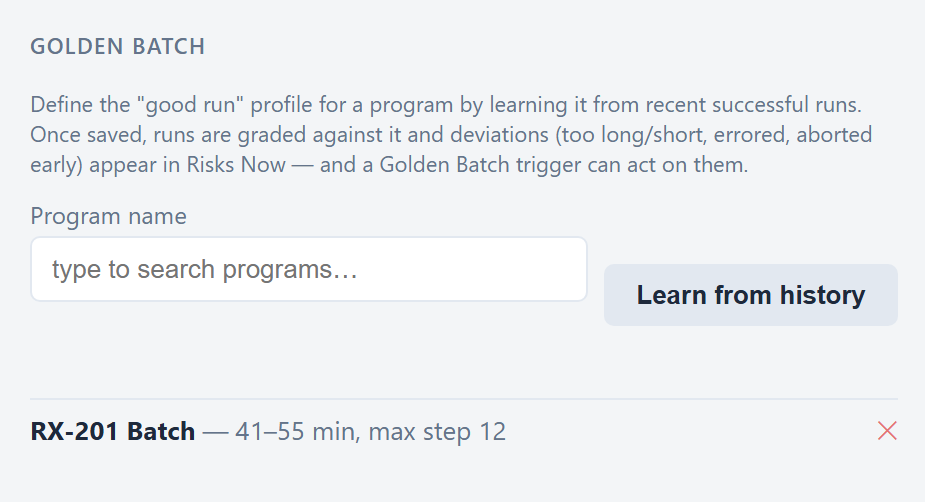
A Golden Batch is the profile of a good run: how long it should take and the step it should reach. Plant Advisor learns that profile from your own history, then grades every later run against the same standard, so batch performance is measured objectively rather than by eye.
Learn a profile
Pick a program and choose Learn from history. Plant Advisor reviews recent successful runs and proposes an expected duration range and the highest step reached. Review the numbers, adjust anything you want, and save it as the standard.
Grade every run
When a run finishes it is compared with the saved profile. A run that goes too long or too short, ends in error, or stops before the expected step is flagged as a deviation, with the actual figures shown alongside the expected ones.
- Deviations appear in the Risks Now feed, ranked by importance.
- A Golden Batch trigger can act on a breach automatically.

Consistency you can stand over.
The profile and the grading are fixed, so every run is judged against the same standard. You get a repeatable, objective read on how a process actually performed, one run to the next.
Event triggers and Risks Now
ManagerAccord sitesRisks Now is one prioritised list of what needs attention, pulling together the engine’s recommendations, readings that have drifted outside their normal range, and anything raised by Golden Batch grading, ranked Critical, Warning or Information. Event triggers take it a step further: they watch for an alarm or a Golden Batch breach and run an action automatically, whether that is running the engine, running a Topic, or taking a query snapshot.
- Triggers stay off until an admin enables them, even once created.
- Limits and debounce stop a burst of the same alarm running an action repeatedly.

Preventative maintenance
ManagerAutomatic on AccordTrack a machine’s running hours or start count against a service interval and get told when it is due. On Accord sites the counters are picked up automatically; on other platforms you confirm which tag to use, and Plant Advisor never guesses silently. Mark a machine serviced and the count resets from that point.
- Ask what is overdue at any time, or check a single machine.
- A safety check flags if a tag looks like it measures something other than what you asked for.

Server engine
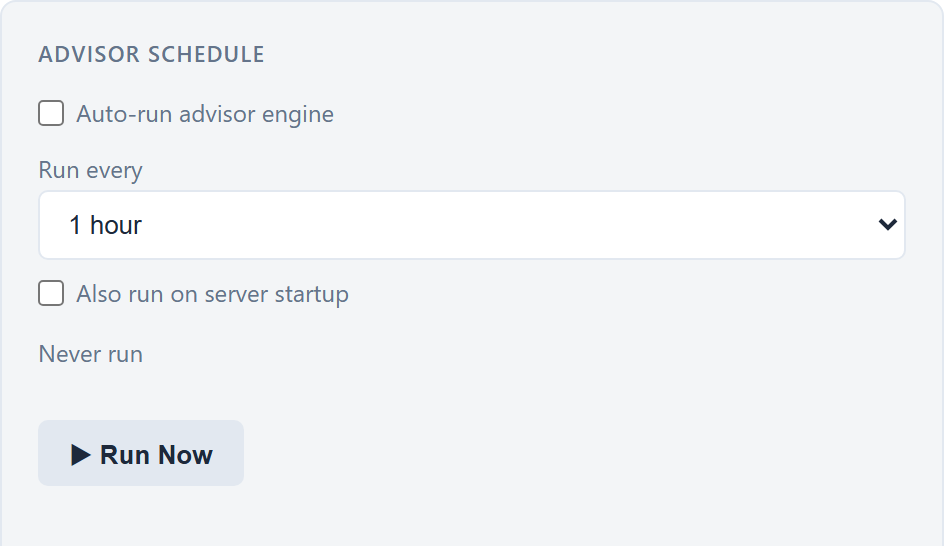
AdminSwitch on the server engine and Plant Advisor reviews recent plant data on a schedule, writing recommendations, forecasts and summaries before anyone asks. Set how often it runs and whether it runs once on startup. Its output surfaces in the chat assistant and feeds the Risks Now list.
Works across SCADA platforms.
Plant Advisor runs on several platform types. Most features work everywhere; a few depend on what your platform records. Your admin can confirm which type your site uses.
| Feature | Accord | MWCS | Generic / tag-based |
|---|---|---|---|
| Chat and live queries | Yes | Yes | Yes |
| Reference documents | Yes | Yes | Yes |
| Knowledge facts | Yes | Yes | Yes |
| Topics: view and run saved | Yes | Yes | Yes |
| Topics: full builder | Yes | Limited | Trend / Report |
| Golden Batch | Yes | No | No |
| Event triggers | Yes | No | No |
| Preventative maintenance | Automatic | Tag confirmed | Tag confirmed |
| Risks Now feed | Yes | Yes | Yes |
Built with security in mind.
Plant Advisor sits on the plant network and is careful with your data and your control system.
Read-only
It only ever reads from your database. It never inserts, updates, or deletes production data.
Your data stays local
Only your question and the plant context needed to answer it are sent to the AI. Raw SCADA records stay on your network.
Role-based access
Every capability is gated by role, so operators cannot change configuration, users, or saved reports.
Forced password change
The default admin password must be changed on first login before the rest of the application can be used.
Sessions expire
A session times out after 8 hours of inactivity and returns you to the sign-in page.
Audit trail
Recent queries are logged with who, when and what, and can be exported for compliance review.